
Many maintenance teams invest in powerful platforms like IBM Maximo Application Suite to get better asset control, fewer breakdowns, and smoother operations — only to end up using a fraction of what the system offers.
So today, we will take a closer look at how good Maximo CMMS is when it comes to the day-to-day reality of maintenance management. Is it overkill, or exactly what your operation needs?
Let’s see where it excels, where it falls short, and what you should realistically expect if your main goal is to plan, schedule, and track maintenance work efficiently.
Is Maximo a CMMS system?
In the broadest sense of the term, yes — IBM Maximo Application Suite can absolutely function as a CMMS. It covers all the core capabilities you would expect: work order management, preventive maintenance, asset tracking, and MRO inventory control.
However, calling Maximo “just a CMMS” doesn’t quite do it justice.
A more accurate way to describe Maximo is as an Enterprise Asset Management (EAM) platform. An EAM platform includes everything a CMMS does — but goes much further into strategic asset management.
Here’s what IBM Maximo Application Suite offers beyond an average CMMS:
- Full asset lifecycle management: Tracks assets from procurement and deployment to maintenance, compliance, and eventual retirement.
- Capital planning & budgeting: Supports long-term asset investment planning, cost forecasting, and capital allocation decisions.
- Risk management & compliance: Helps organizations manage operational risk, enforce safety procedures, and meet regulatory requirements
- Advanced analytics and AI: Offers built-in tools for predictive maintenance, condition monitoring, and asset performance optimization.
- Integration with ERP, finance, and supply chain systems: Seamlessly connects maintenance operations with broader business processes.
This distinction matters because it directly impacts complexity, cost, and how the system is typically used.
As you can imagine, Maximo is not for everyone. It delivers the most value in environments where asset complexity and scale justify its capabilities:
- Organizations that manage thousands of assets across multiple locations.
- Asset-intensive industries like utilities, energy, transportation, mining, and heavy manufacturing.
- Teams that need advanced asset insights and want to run large-scale predictive or condition-based maintenance programs.
- Organizations with strict compliance requirements where safety, audit trails, and regulatory reporting are critical.
- Companies that need deep integration with ERP, IoT, or other enterprise platforms.
- Businesses with a strong internal IT team that can help with the implementation, configuration, and ongoing maintenance of the system.
Using Maximo for maintenance management
As we eluded to in the intro, many organizations end up using only a portion of Maximo capabilities — primarily those tied to maintenance management.
That’s not necessarily a bad thing. Maximo is very capable when it comes to core maintenance workflows. The challenge is that its breadth and complexity can sometimes get in the way of efficiency and ease of use.
The next few paragraphs break down how Maximo performs across the core areas of maintenance and facility management.
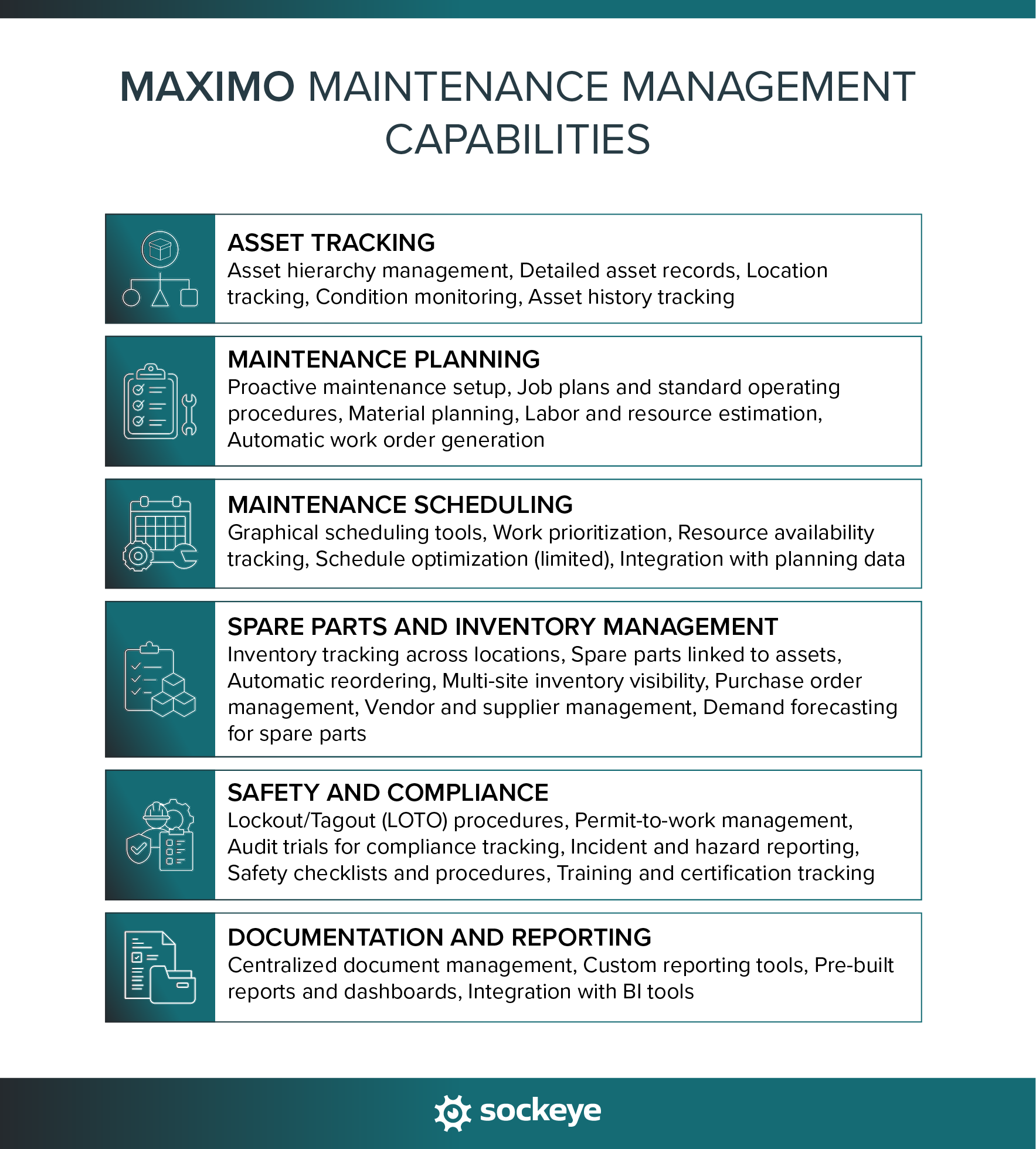
Asset tracking
Maximo offers a robust and structured approach to asset tracking. It allows organizations to build detailed asset hierarchies, track asset conditions, and maintain a complete history of maintenance activities. This level of depth is especially valuable in complex environments — but it can require significant setup and ongoing data discipline to get the most out of it.
Key asset tracking features in Maximo:
- Asset hierarchy management: Organize assets by location, system, or parent-child relationships for better visibility and control.
- Detailed asset records: Store specifications, warranties, service history, and critical documentation in one place.
- Location tracking: Track where assets are installed, moved, or stored across sites and facilities.
- Condition monitoring: Capture meter readings, condition, and performance data in real-time to support condition-based and predictive maintenance.
- Asset history tracking: Maintain a complete log of work orders, failures, and interventions tied to each asset.
Maintenance planning
Maximo provides a structured but configurable approach to maintenance planning. It allows teams to define preventive and predictive maintenance strategies, standardize job plans, and ensure that work is properly scoped before execution.
The strength here is depth — Maximo gives planners a lot of control — but that can also mean more setup time and ongoing effort to create and optimize job plans.
Key maintenance planning features in Maximo:
- Proactive maintenance setup: Run time-based, meter-based, or condition-based plans, based on asset criticality and failure modes.
- Job plans and standard operating procedures: Define step-by-step tasks, required labor, tools, and materials for repeatable work.
- Material planning: Predefine spare parts and inventory needs for planned maintenance work.
- Labor and resource estimation: Plan required workforce, skills, and time before work is assigned.
- Automatic work order generation: Trigger work orders automatically based on predefined PM schedules or asset conditions.
For a more detailed look, check out this overview of Maximo planning and scheduling workflow.
Maintenance scheduling
At first glance, Maximo offers solid scheduling capabilities, including semi-graphical tools and work prioritization. However, in practice, this is an area where many users face challenges.
Setting up a schedule often means navigating multiple screens, digging into configuration settings, and double-checking dependencies. The same slow process repeats when you need to shift labor assignments and change due dates.
Luckily, you can speed things up with a Maximo scheduling bolt-on like Sockeye.
Key maintenance scheduling features in Maximo:
- Graphical scheduling tools: While there is a Gantt chart view, you’re mainly stuck with lists and tables when assigning and adjusting work.
- Work prioritization: You can assign priority levels to ensure critical tasks are scheduled first.
- Resource availability tracking: If you are able to keep availability data accurate and up-to-date, the system will help you match work orders with available labor and skills.
- Schedule optimization (limited): There are basic capabilities to balance workload, though often not fully automated.
- Integration with planning data: Maximo can pull data from job plans, PMs, and asset data to inform scheduling decisions.
Spare parts and inventory management
Maximo allows organizations to track inventory across multiple locations, link spare parts directly to assets and work orders, and maintain tight control over stock levels and procurement. As with other areas, the functionality is powerful — but requires proper setup, training, and governance to avoid data inconsistencies.
Key spare parts and inventory features in Maximo:
- Inventory tracking across locations: Manage stock levels across warehouses, sites, and storerooms in real time.
- Spare parts linked to assets: Associate specific parts with assets to streamline maintenance planning and execution. You can also allocate parts to specific jobs to ensure availability during execution.
- Automatic reordering: Set reorder points and trigger procurement processes when stock falls below thresholds.
- Multi-site inventory visibility: View and transfer inventory between locations to optimize stock usage.
- Purchase order management: Create and manage purchase requests, approvals, and supplier interactions.
- Vendor and supplier management: Maintain supplier records, pricing, and lead times for better procurement decisions.
- Demand forecasting for spare parts: Based on historical usage, lead times, and reorder points, Maximo helps estimate future inventory needs. To get the most out of it, you need to ensure accurate data and take time to configure everything properly.
Safety and compliance
Maximo is particularly strong when it comes to safety and compliance, which is one of the key reasons it’s widely used in highly regulated industries. It allows organizations to embed safety procedures directly into maintenance workflows and maintain detailed audit trails.
Key safety and compliance features in Maximo:
- Lockout/Tagout (LOTO) procedures: Define and enforce energy isolation steps to ensure safe maintenance execution.
- Permit-to-work management: Control and approve high-risk activities with formal authorization workflows.
- Audit trials for compliance tracking: Maintain records and ensure adherence to industry standards and legal requirements. Automatically log actions, approvals, and changes for full traceability.
- Incident and hazard reporting: Capture safety incidents, near misses, and risks for analysis and prevention.
- Safety checklists and procedures: Embed safety steps directly into work orders and job plans.
- Training and certification tracking: Ensure only qualified personnel are assigned to specific tasks.
Documentation and reporting
Maximo offers extensive documentation and reporting capabilities, giving teams full visibility into maintenance activities, asset performance, and operational trends. It captures a large amount of data across all workflows and allows organizations to turn that data into actionable insights.
The main trade-off is that reporting can feel complex, especially for teams that want quick, out-of-the-box dashboards without heavy configuration.
Key documentation and reporting features in Maximo:
- Centralized document management: Automatically record work performed, labor used, materials consumed, and technician notes. Plus, you can store manuals, procedures, and asset-related files directly within the system.
- Custom reporting tools: While it takes time to configure, you can build tailored reports to track KPIs, costs, and maintenance performance.
- Pre-built reports and dashboards: Access standard reports for common metrics like PM compliance, downtime, backlog, and asset reliability.
- Integration with BI tools: Connect with external analytics platforms for advanced data visualization and insights.
Things Maximo does right
While it’s not the simplest tool on the market, it consistently delivers value in complex, asset-heavy environments. Positive user feedback highlights its depth, flexibility, and ability to handle large-scale operations that would overwhelm a lightweight CMMS platform.
Top benefits of using Maximo (based on user feedback):
- Highly scalable for complex operations: Handles large asset portfolios, multiple sites, and complex organizational structures without slowing down. [“I appreciate the flexibility and scalability of the IBM Maximo Application Suite. Its containerized architecture is a standout feature, as it allows the software to scale seamlessly across an entire organization, from a single plant to hundreds of sites worldwide.” — Khushivant, G2]
- Advanced analytics and AI capabilities: Supports predictive maintenance, condition monitoring, and performance optimization through AI-driven tools like Maximo Predict and Maximo Health. [“To me, what was the most impressive thing in IBM Maximo Application Suite is the powerful AI-driven predictive maintenance it demonstrates. The suite applies advanced analytics and IoT integrations in proactive asset management and monitoring to seriously reduce downtime and enhance operational efficiency.” — Verified User, G2]
- Flexible and customizable: Can be configured to fit different industries, workflows, and business processes. [“It’s so customizable you won’t have enough time to use all its capabilities. It’s a really robust platform which will benefit all you company.” — Jair, Capterra]
- Comprehensive feature set: Covers everything from maintenance management to asset lifecycle, inventory, procurement, and compliance in one platform.
- Powerful integration capabilities: Works well with ERP systems, IoT platforms, and many other enterprise tools.
Where Maximo struggles
Despite its strengths, Maximo is not the right fit for every organization. Many of its biggest advantages — depth, flexibility, and scale — also contribute to its main drawbacks. If your team is not prepared, Maximo will likely feel overwhelming and resource-intensive.
Top downsides of using Maximo (based on user feedback):
- Complex implementation and setup: Requires significant time, expertise, and often external consultants to get fully up and running. [“One aspect of the IBM Maximo Application Suite that I find challenging is the initial setup and configuration process, which can be quite complex and time-consuming, especially for teams that are new to the system.” — Sachin, G2]
- Steep learning curve: The interface and workflows can be difficult for new users. The Maximo Scheduler (one feature) alone takes a few days of intensive training sessions to learn the basics. [“Maximo is powerful, but the learning curve is definitely high. New users may find the interface overwhelming at first because there are so many modules and configuration options.” — Verified User, G2]
- Desktop & app user interface can feel outdated: Compared to newer CMMS tools, usability is often cited as a weak point. [“While IBM Maximo is a powerful tool, one thing I dislike is that the user interface can be complex and not very intuitive, especially for new or occasional users. It often requires multiple clicks to complete basic tasks, and without proper training, navigating between modules can be overwhelming.” — Jeremiah, G2]
- High total cost of ownership: Licensing, implementation, customization, and maintenance costs can add up quickly. [“The cost of implementing and maintaining IBM Maximo Application Suite, including the software itself and any associated services, can be substantial.” — Bima, Capterra]
One area where these challenges become painfully visible is maintenance scheduling. While Maximo provides the tools to plan and assign work, many teams struggle to use them efficiently on a day-to-day basis. As schedules take a lot of time and effort to build and to keep up-to-date, weekly schedules are inconsistent, and there is barely any time left for proper job planning.
Sockeye: A simple fix for existing and future Maximo users
Poor scheduling doesn’t just create daily friction for planners. It leads to delayed work, underutilized technicians, increased downtime, and ultimately worse asset performance.
In other words, even if everything else in Maximo is set up correctly, weak scheduling can undermine your entire maintenance operation.
And that’s where many teams get stuck: they invest heavily in Maximo, but struggle with adoption. Schedulers go back to using spreadsheets — they never fully grasp Maximo, so they fall back on what they know.
Sockeye is designed to fix exactly that.
It’s a simple, purpose-built scheduling bolt-on for Maximo that helps simplify and automate maintenance scheduling processes — without needing to replace or overhaul the system.
Here is a quick overview of Sockeye:
Take the Aditya Birla Group as an example. Sockeye connected with their existing Maximo solution to automate data entry, simplify scheduling with drag-and-drop functionality, and allow precise labor availability and utilization tracking. This helped them reduce overtime, expedite payroll, and speed up weekly scheduling by 90%.
“What used to take me up to five days of work can now be done with Sockeye in just under an hour. Because Sockeye synchronizes the data directly from our CMMS, we know the information is valid and trustworthy. When our guys get to the stores, we know that the parts ordered have been activated. We can also trust the data in Sockeye for payroll. With just three keystrokes, we pay 75 people.”
Todd Hicks, Planning and Shutdown Superintendent AT THE AV GROUP
If you are considering or planning to implement Maximo in the near future, remember that there is a quick and simple solution for its scheduling woes.
And if you’re already using it, book a demo with our team to see how Sockeye can help you maximize your Maximo investment.
